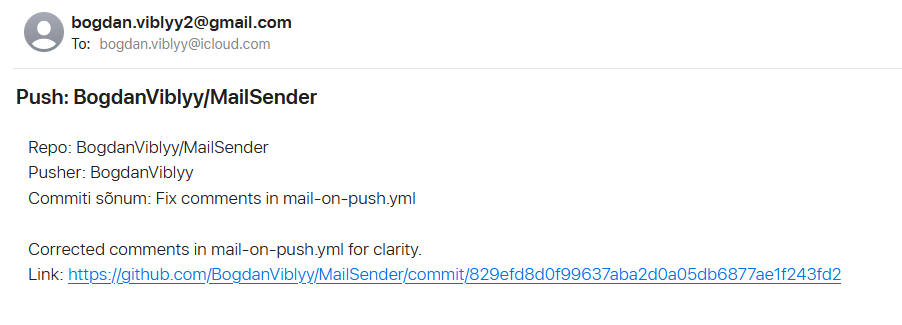
Sammud:
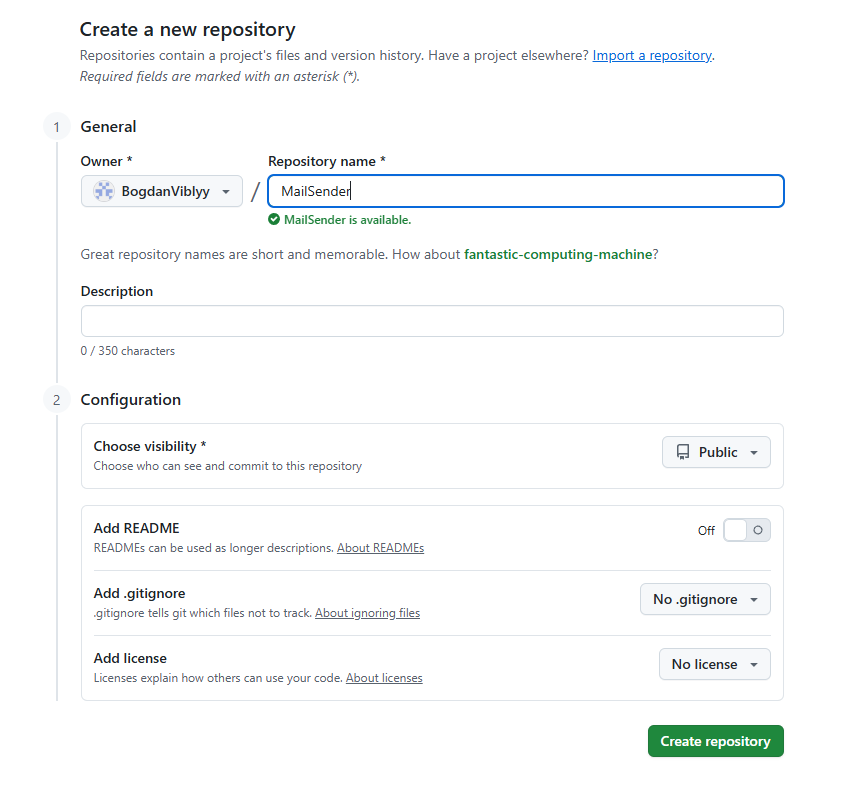
1: loo tühi github repo:
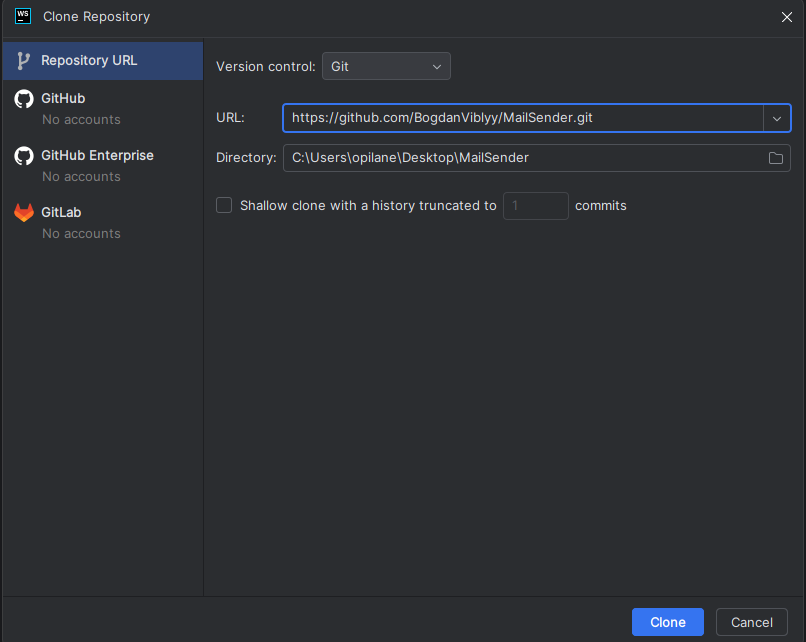
2: Kloneri oma arvutile
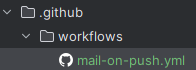
3: Loo selline struktuur projekti juurtes
4: Lugege Github Actions struktuurist YAML failide puhul siit: https://docs.github.com/en/actions/quickstart
5: Lisage dawidd6/action-send-mail Github e-maili saatja YAML faili:
name: Mail on Push

on:
  push:                 # käivita töövoog iga pushi puhul
    branches:
      - "**"            # vajadusel piirda harud nt ["main"]

jobs:
  send_mail:
    runs-on: ubuntu-latest

    steps:
      - name: Checkout
        uses: actions/checkout@v4

      - name: Send email on push
        uses: dawidd6/action-send-mail@v6
        with:
          server_address: smtp.gmail.com   # Gmaili SMTP; teiste teenusepakkujate puhul muuda
          server_port: 465
          secure: true

          username: ${{ secrets.MAIL_USERNAME }}   # määra Settings → Secrets all
          password: ${{ secrets.MAIL_PASSWORD }}   # kasuta rakenduse parooli / app password

          from: ${{ secrets.MAIL_USERNAME }}
          to: recipient@example.com                # mitu saajat: a@b.com,c@d.com

          subject: "Push: ${{ github.repository }}"
          body: |
            Repo:   ${{ github.repository }}
            Pusher: ${{ github.event.pusher.name }}
            Commiti sõnum: ${{ github.event.head_commit.message }}
            Link:   https://github.com/${{ github.repository }}/commit/${{ github.sha }}
(Vahetage “teie_mail@email.com”, teie emailiga)
6: Lisame kõik ued failid githubi.
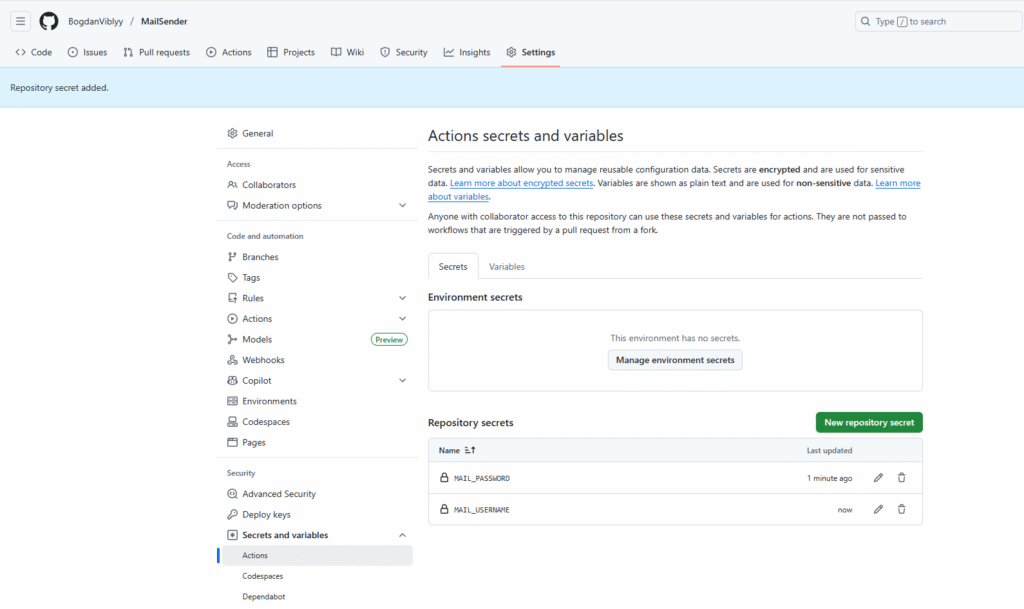
7: Lisage Github Secrets alla MAIL_PASSWORD ja MAIL_USERNAME
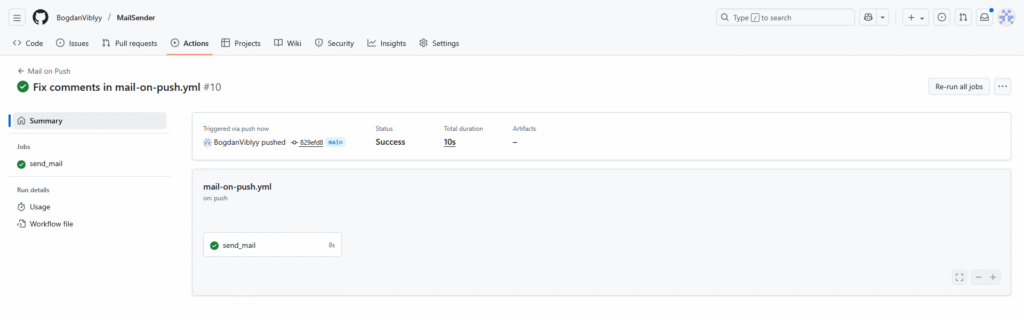
8: tee repositorys muudatus ja push. Pärast ava actions et näha kuidas kõik läks.
9: Kontrolli email.